What it costs
What It Actually Costs to Start Competing, From Peripherals to Entry Fees
Peripherals, entry fees, travel - and the cost nobody prices.

Photograph: Connor Smith · CC BY 2.0 · Wikimedia Commons
The takeawayYou see the whole stack including the hidden time cost, and know what to buy last.
When you think of esports, you probably think of the high-flying stars, the sold-out stadiums, and the blockbuster prize pools. But if you are a competitive player today, your success does not depend on lucrative sponsorship deals or a fast car. It depends on two things: how well you play, and whether you can carry the costs long enough to find out.
The main takeaway is this: esports have a layered cost structure. There is the stack of competition-ready equipment. There are recurring entry fees. There is travel, which winners may have reimbursed, while everyone else does not. But above all, the largest and least vocalized element of esports cost is time: the practice hours each day, each week, each year, needed to earn a spot in the prize bracket.
Most of that stack can be deferred. The one part that cannot is the time.
Hardware and Setup
This step does not mean you need a top-tier custom rig. It means you need a setup that minimizes system lag and meets the game's technical specifications. If you are starting from zero, the minimum stack looks like this:
For PC games, you need a gaming computer. What that means in practice is a machine that holds the game's frame rate without dropping, not one that posts a high average. Competitive titles are deliberately undemanding, so the bar is lower than the marketing suggests - but it is a bar on stability, not on peak numbers. You will also need a monitor, keyboard, mouse, and headset.
For console games, you need a PlayStation 5, plus controllers, earbuds, and anything else the event specifies.
For mobile, you need a handset that holds its frame rate for a full match rather than the first few minutes, and the steadiest connection you can get to it.
Beyond the machine there is the seat you will spend hours in, and the peripherals you actually touch: a mouse mat with a consistent surface, and a headset you can wear for a whole session.
All this adds up fast. But some costs can be deferred. Switch to a gaming mouse and monitor later, if that is where you already feel deficient. Use your laptop to compete, if it already crushes the game. Wait to upgrade to professional-grade tables and chairs, until you know a speedy return on your investment is certain.
Entry Fees: Beyond Free
Like traditional sports, esports has a tiered entry level. Participation costs differ by the event format: online, local, and offline. Activity type: social, competitive, and professional. League: grassroots, league, tournament, and invitational.
For grassroots: the Saturday qualifier, the online social. Online tournaments can be free, or open to entrants willing to commit $5–$25 for the cash bracket. Local LAN events typically cost $10–$50 per person. At the professional end: $200+ for a spot on the guest list, $50–$200 for a competitive event, and for the gateway slot to large events: the open qualifier, usually with no entry fee, but with travel.
Recurring Costs
The recurring cost is scheduled time rather than money: practice that has to happen before a fixed date, and events that run when they run. Online formats cost nothing to reach. Open qualifiers usually charge no entry fee either - but the ones that lead anywhere are held somewhere, and getting there is the expense nobody budgets for.
And travel is not just time, it is a cost in itself. And its value to the aspiring pro depends on when and whether it is reimbursed.
The Sensible Entry Point
Step 1: Check the game specifications. If your computer crushes the game today, you are hardware complete. Step 2: Check the event rules. If you meet them without buying a new pro setup, focus on what makes the difference.
A few peripherals are worth buying early because you touch them every minute: the mouse or controller, the mat under it, and a headset that isolates enough to hear positional audio. Those change what you can do. Most of the rest does not.
What to Buy Last
Furniture is the last thing to buy, not the first. A chair that supports you for three hours is worth having; one that costs more than the machine is not, at least until the machine is finished.
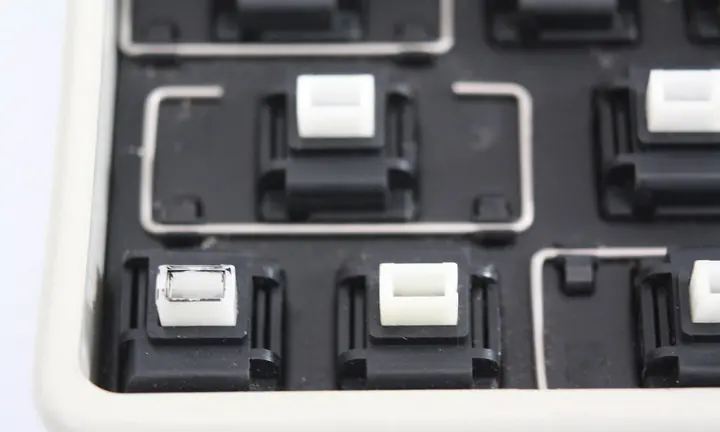
Wait on the premium mechanical gaming keyboard. Unless you fall apart without Cherry MX switches, or cannot reach a level without that 1 ms response time, wait. And wait on the RGB gaming accessories. And wait on that deep-red leather chair.
Spend on the things that change what reaches the game - the machine's stability, the connection, the two peripherals under your hands - and leave the rest until something is actually limiting you.
Fit for the Stage
Almost every cost here can be staged: bought later, borrowed, or skipped entirely until it is the thing holding you back. The hours cannot be staged, and they are the largest item on the list.
The entry hurdles start with a reliable infrastructure. To take off, you need a stage. To master the stack and optimize the flow, learn from this article, but also from your own experience. Balance adverse costs: software and hardware spending, and non-linear spending: economy travel, low-key entry, but feel the restricted efficiency a substandard setup imposes. Use the resources you have. Measure their flaws, learn the failure point, and identify the next first upgrade, that brings you closer to the stage. Then, only then, once your fingers meet the steely shiver of the trigger, and your eye fulfills that fraction, when you have delved deep and practiced long, and you hear that cheering chorus, you will know: you are fit to compete.