
Versus
Frame Rate or Resolution: Which to Give Up First, and How to Tell on Your Own Screen
Somebody has to lose. Here is how to decide which.
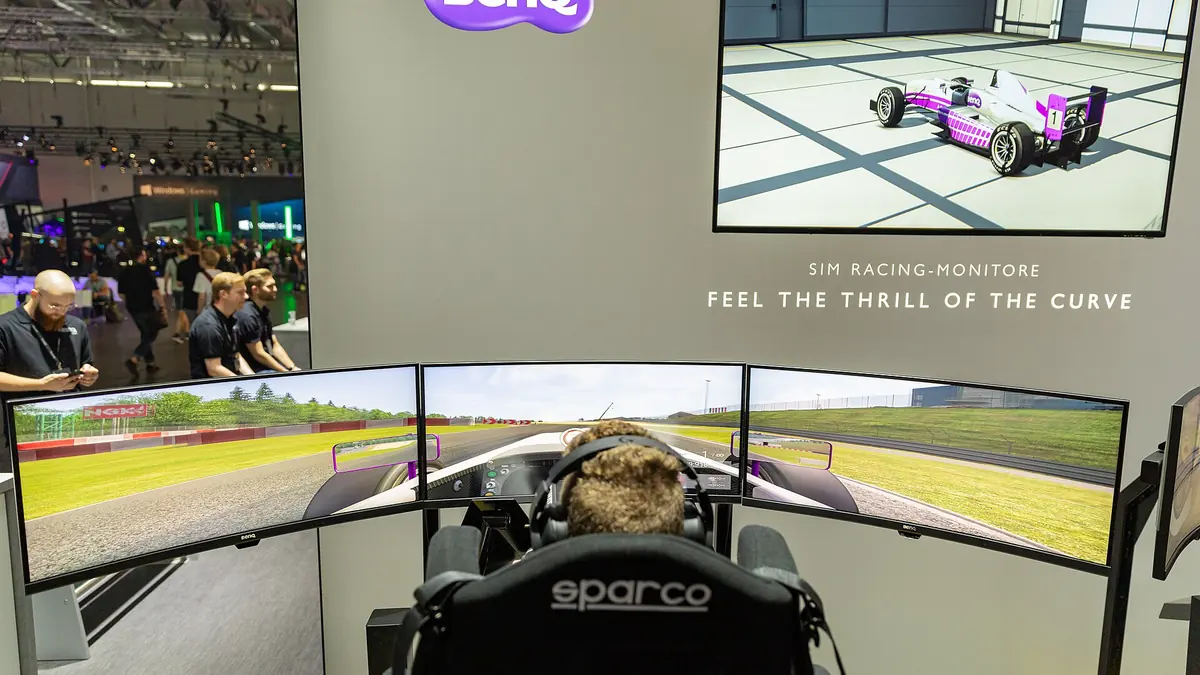
Photograph: dronepicr · CC BY 2.0 · Wikimedia Commons
The takeawayYou get a test that gives you your own answer instead of somebody else's preference.
When squeezing the most performance out of your game settings, the frame-rate-versus-resolution question is not a one-size-fits-all choice. The right compromise changes with display size, viewing distance, upscaling mode, and your game type.
These compromises are not free: upscaling technologies like NVIDIA DLSS scale up the image from lower internal resolutions. For instance, 4K gaming at DLSS Ultra Performance uses an internal 720p input stream. DLSS Balanced upscales from 50% of the output resolution, so you're seeing a 2x scaled image at 4K. In other words, using DLSS in its best modes trades ample amounts of internal resolution for real frame-rate gains.
But when do you trade what?
What upscaling actually trades away
DLSS, the technology developed by NVIDIA, trades internal render resolution for higher frame rates and smoother visuals.
This means at 4K, Ultra Performance mode on a 4K gaming monitor sees an original frame image of just 720 pixels vertically in the game engine. Its "4K" output only becomes that at the final processing stage, in the image scaling step. The in-engine resolution drops as low as 33%.
DLSS Quality uses a 66% input resolution, scaling up by a "merely" 1.5 times. Performance renders at half the output resolution, and Ultra Performance at roughly a third of it, which is where the frame-rate gain is largest and the image cost is most obvious.
The performance lets a game hit higher overall frame rates. But too much compromises detail. The reconstruction softens fine detail first: wires, foliage, distant text and the seams on clothing are what go.
Which preset holds up depends on the output resolution, because the internal resolution is a fraction of it. At 4K there is enough to work with that Performance still reconstructs cleanly. At 1440p the same fraction leaves far less, which is why Quality is the usual limit there.
None of that is decided by the numbers alone, though. What you actually notice depends on the screen it lands on, and how far away you sit.
Where resolution matters more
The "resolution sweet spot" rests on the trade-off between the display's maximum ability and how far you are sitting. A larger display benefits more from native 4K, especially when you are sitting close, but it trades away less when scaled at 1440p.
Here's why: the human eye can process just over
At a 1440p 40-inch screen, that 109-pixel limit happens at a maximum distance of 2 meters.
At 4K, a 24-inch screen benefits from a viewing distance of 1.6 to 2.6 meters.
This means for close gaming, especially on larger displays, the difference is clearer and the need for full resolution more immediate.
For most of the display-buying community, though, you'll be picking a 1440p monitor for a medium watching and gaming distance of 1.5 to 2 meters anyway. At that range, DLSS Quality is seen as plenty preferable, even by those who prefer frame rate, and you see a clear difference between terrain, human forms, and clothing with the higher "sweet spot" of DLSS modes.
Where frame rate matters more
If your game genre matters more for leaving enemies in visibility, or requires seeing all details even in motion, then frame rate is more critical. For instance, in shooters, fast player movement means these details need to stay perceptible, even as the player or screen moves. And here, the difference in frame rate, measured here as frame-times, is crucial, not the frames themselves.
We measure graphical tasks in frame-times because our brains prefer a steady frame rate. This means that one dropped frame that is rendered at 30% slower has a triple impact: a dropped frame might look like 15 milliseconds of black, but it can hurt the game as 45 milliseconds of slow time. So an 80% steady frame rate feels like a 60% one.
This is why,for instance, NVIDIA recommends starting with
But this is at the extreme end of games that prioritize frame-rate and low-latency perception.
Genre changes the answer
Without hitting the key moments, outside of when playing DLSS-enhanced games, you should get your DLSS Quality or Performance capacity stable at your desired frame rate. This is crucial because you need the basic visual fidelity of textures and details to make enemy spotting and object perception easy. That fine resolution matters at any gameplay key crossroad.
But there's more: The Fortnite guide to FPS Boost says lowering View Distance often returns very little frame rate but directly damages your enemy spotting.
Raise the frame rate selectively by bumping up to DLSS Quality at the first sign of a frame drop, and always enable Frame Generation sparingly, and after confirming a base frame rate. Never drop View Distance unless you can do that in your gameplay flow.
And as a final practical hint: even within competitive games, when adding upscaling, do not simultaneously enable both an upscaler and the internal 3D Mode Resolution feature in your graphics settings panel. Super Resolution is an upscaler, and reducing 3D mode resolution does the same, meaning you can only need one.
Indeed, in Fortnite, the guide explicitly mentions not to lower 3D mode resolution with Super Resolution.
How to test your own screen
For simplicity, there's just one rule to recommend: go too far, then bend back.
Do this: Start the game you want to play at a native resolution.
- Set the frame rates target you need in the game to get good performance in your graphical target, but still allowing performance.
- Turn on DLSS, to its Quality setting.
- Lower it to its next preset: Performance. Raise it to the next Quality again if the Quality still looks good in your regular screen distance.
- Move down to Ultra Performance and quickly inspect your familiar game scenes. If fine details are too fuzzy or too much fuzziness, you've hit the limit for your user's eyes.
- Go back up to a Quality but only down to Performance if it still looks good. Get back to quality before enabling Frame Generation.
- Use Frame Generation now only if you need more frames.
The final rule
The final rule: The lowest-quality upscaling modes only make sense once the target frame rate is already as stable as it can be, and where the images still look clean at the player’s target output resolution
DO not enable Frame Generation until you have secured the necessary frame rate.
Make sure the image is still tack-sharp at your target output resolution before pushing lower in resolution.
This means turn down DLSS to Quality mode first, then Performance, and only go to Ultra Performance to squeeze out more frames, always before turning on Frame Generation.
You know the reason
.jpg)