When it breaks
The Game Stutters but the Frame Counter Looks Fine: How to Find the Real Cause
High frame rate, terrible feel. The counter is the wrong instrument.
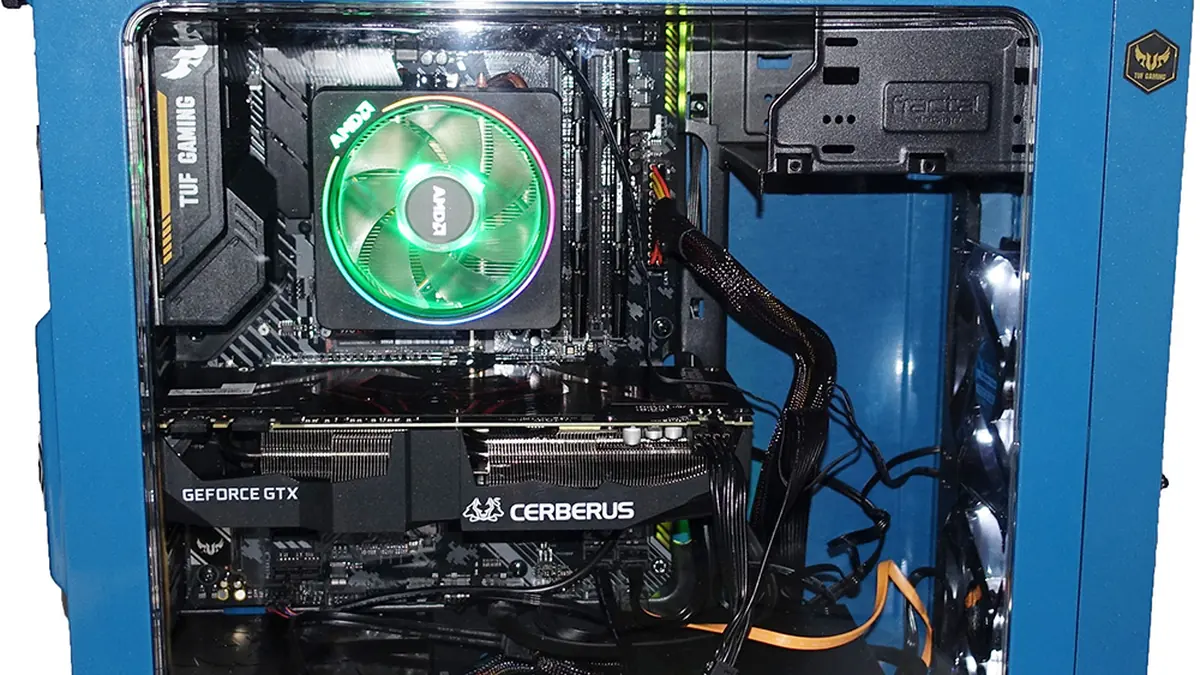
Photograph: Tiia Monto · CC BY-SA 4.0 · Wikimedia Commons
The takeawayYou can name the cause from the pattern instead of trying settings at random.
Stuttering in a video game can occur even when the average frame rates are high. This phenomenon, known as high-FPS stuttering, is caused by the frame counter averaging out frame times. As a result, individual frame times may be much longer than expected, causing the game to hitch.
Before making any changes to your settings, it's essential to record a frame-time graph using CapFrameX, PresentMon, or MSI Afterburner plus RTSS. Play the game for three to five minutes in a scene that stutters to get an accurate reading.
Shader Compilation: The First-Time Hitch
Shader compilation is a common cause of stuttering in modern games. It occurs when a shader is compiled for the first time, blocking the frame and causing a hitch.
One symptom of shader compilation stutter is a hitch the first time a visual effect appears, followed by smooth replay of that same moment. Modern DirectX 12 and Vulkan games can compile shaders the first time the graphics card encounters them, causing brief stutter in the opening hour even on strong hardware.
The published fix for shader-caching stutter includes clearing the DirectX Shader Cache through Disk Cleanup and setting NVIDIA Shader Cache Size to Unlimited or at least 10 GB.
Streaming and Asset Loading
A documented cause of stuttering is asset streaming, particularly in open-world games. As you move around the game world, assets such as textures and models are loaded from storage into memory. This can cause hitches, especially if you're using an HDD instead of an SSD.
Streaming and asset loading stutter often tracks world traversal, with hitches occurring as you move to new areas. It can also be exacerbated by background disk activity, such as Windows updates or other programs accessing the disk.
To diagnose asset streaming, look for hitches that occur as you enter new areas of the game world, or are directly correlated with high disk usage. The recommended fix is to move the game to an SSD and avoid background disk activity when storage streaming may be part of the problem. Additionally, lowering texture quality can help if VRAM usage is close to the limit.
Background Contention and Overlays
Another common source of stuttering is background contention, particularly from overlays and background apps. Periodic spikes in frame times at regular intervals are often caused by a background service polling, an overlay refreshing, or a power-management throttle cycling.
To diagnose background contention, look for hitches that occur at regular intervals, usually a few seconds apart. This can also be correlated with high CPU usage or spikes in FPS.
The fix for background contention is to close as many background apps and overlays as possible. This includes browser tabs, messaging apps, and game performance overlays like MSI Afterburner. Additionally, setting CPU core affinity in Task Manager can help isolate background apps from the game's CPU.
Thermal or Power Throttling
Thermal or power throttling can also cause stuttering, particularly during extended gaming sessions. As the CPU or GPU overheats, it will throttle its performance to prevent damage, which can cause frame times to spike.
Diagnosing thermal throttling is straightforward. If you notice a sudden drop in performance and increased fan noise after gaming, it's likely due to heat.
To fix thermal throttling, make sure your PC has proper air flow and is not overheating. Cleaning dust out of fans, ensuring proper cable management, and upgrading your cooling solution can all help. Additionally, setting power management in Windows to High Performance can prevent the CPU from throttling due to power limits.
FPS capping slightly below the refresh rate of your screen can help prevent thermals and power throttling. This gives the GPU some headroom and prevents it from running at full load continuously. For example, if your monitor's refresh rate is 144 Hz, try capping your FPS at 141.
What to Change First
The order of fixes depends on the specific symptoms you're experiencing. But broadly, it's a good idea to:
- Clear the DirectX Shader Cache and set shader cache sizes to unlimited.
- Move the game to an SSD and avoid background disk activity.
- End unnecessary background apps and overlays.
- Check for CPU throttling to rule out a thermal or power issue.
- Cap your FPS slightly below your screen's refresh rate to create headroom.
- As a last resort, lower graphics settings, as the other fixes will resolve most specific cases.
Ultimately, frame-time analysis is key to sorting out the root cause of stuttering, as frame counters can deceive us when we rely on them.
Frame-time graphs use software like CapFrameX, PresentMon, or MSI Afterburner to record the time between each frame. By analyzing these graphs, you can identify specific sources of stutter and determine the appropriate fix.
The hitch pattern is a crucial diagnostic tool. Shader compilation hitches occur the first time a visual effect is used, streaming hitches track world traversal, background contention hitches are periodic, and thermal throttling causes slowdown after extended play. By matching your stutter pattern to a known cause, you can zero in on the fix.
Frame counters can't tell you which hitch is causing the stutter, but frame-time graphs can. So if you're experiencing high-FPS stuttering, it's time to move beyond the frame counter and analyze your game's frame times.