Worth it?
Is a Processor Upgrade Worth It If the Graphics Card Stays the Same?
Bottlenecks move. Find yours before the money leaves.
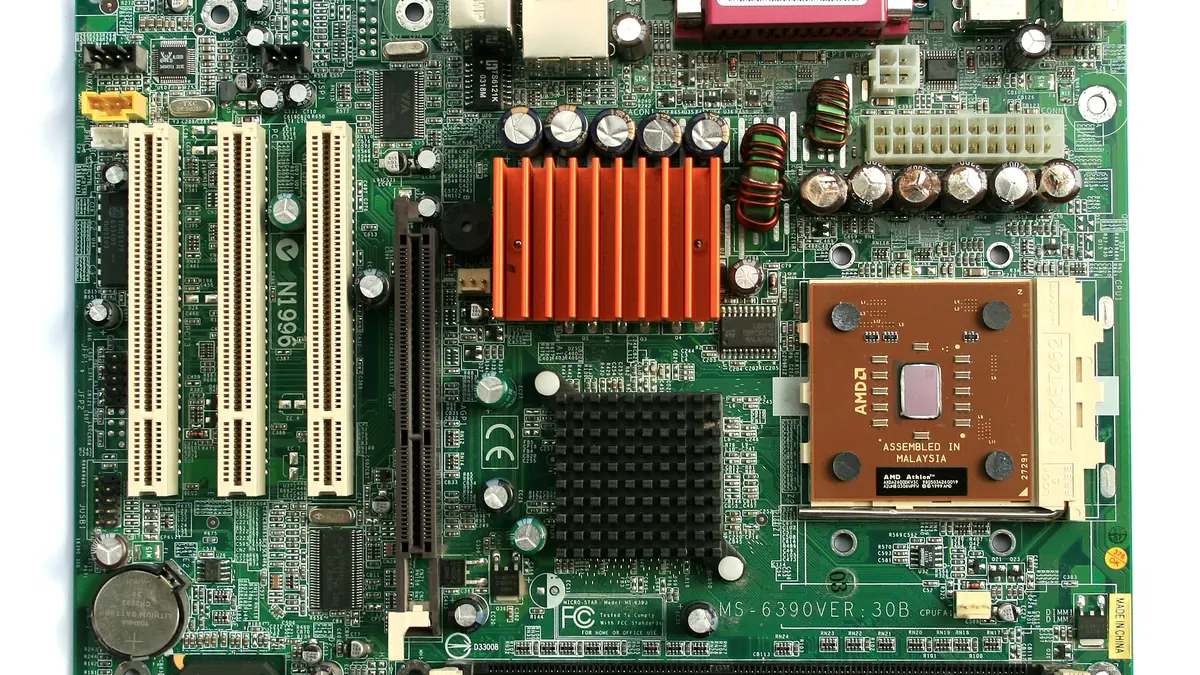
Photograph: Jonathan Zander( Digon3 )” · CC BY-SA 3.0 · Wikimedia Commons
The takeawayYou identify your own limiting component before spending, and know the true price of each path.
When considering an upgrade to your gaming PC on a limited budget, you may wonder if spending on a CPU is worthwhile if you're keeping the same GPU.
So before you decide on an upgrade path, take some basics steps to identify which part is really making a difference in your game. These steps should be taken in order.
What a bottleneck actually is
A bottleneck in a system is the component that limits the performance of the other parts. In a gaming PC, that means the component that makes the whole system wait while it completes its own work.
Microsoft defines a CPU-bound game as one where the GPU finishes its work quickly and sits idle while waiting for the CPU to generate more instructions. The opposite, a GPU-bound scenario, happens when the GPU is working as fast as it can while the CPU waits for pixel rendering to complete.
The same game may even alternate between the two states depending on the scene you're in. Non-graphics workloads on the CPU, like physics calculations, NPC behavior, and in-game audio, can move the bottleneck away from the GPU. So can graphics settings that rely more on the CPU, like high draw distance or many on-screen enemies.
How to tell which part is limiting you
The easiest way to diagnose whether your PC is CPU-bound or GPU-bound is to dive into the game and measure. Microsoft recommends starting by lowering the resolution and watching what happens.
If FPS rises sharply, the GPU was likely the limiter. The lower resolution reduced the work the graphics card had to do, letting it keep up with the processor. On the other hand, if lowering resolution barely moves FPS, your system is probably CPU-bound — the CPU still can't feed the GPU new pixel instructions quickly enough.
GPU in-game monitoring tools can also make this clear. Near-constant graphics-card usage in the high 90s usually means the card is the part holding you back: the system is GPU-bound. If GPU usage is much lower (like 60-70%) but your FPS is stuttering or capped, your CPU is probably the limiter.
Adjusting graphics settings can also help you diagnose. Scaling back shadows, anti-aliasing, and texture quality should boost FPS if the GPU is the limit. But those changes may have little effect if the CPU is holding back overall frame rate. That's because GPU-bound settings don't burden the CPU the same way.
Why resolution changes the answer
The same hardware can appear CPU-bound or GPU-bound in different games or the same game at different resolutions. That's because changing resolution also changes what each component works on and the balance between them.
At 1080p, a powerful GPU may finish its pixel-shading workload fast, leaving the processor to generate the next batch of work. At 4K, on the other hand, there are so many pixels that the graphics card is saturated by pixel shading and becomes the limiter. That's because shading workload grows roughly with the square of resolution, while CPU-based task workloads only grow linearly or not at all.
That's why lowering the resolution can often move the bottleneck away from the GPU, and why CPU-bound scenarios are common when gaming at 1080p. It's also why raising resolution can shift more of the workload to the GPU if it was previously the CPU that was the pinch point.
When a processor upgrade matters most
CPU upgrades matter most in scenarios where the workload is put on the CPU. That doesn't mean every game works this way, but certain types do lean heavily on CPU instruction generation. A draw-distance-heavy game with lots of physics processing and an algorithmically complex environment requires the CPU to keep things moving. That is especially true where the graphics card still has headroom to spare.
In a shooter, the more enemies on screen and the larger the map, the more instructions the processor has to generate to keep the action moving. Simulation work of the same kind - pathfinding, resource gathering, building, crafting - loads the processor too, to the point where the graphics card sits waiting for its next frame.
The real cost of choosing the CPU path
The biggest cost of a CPU upgrade may not even be the price tag on the CPU itself. A new processor may require a motherboard that fits it, a new generation of RAM that supports it, a cooler that can handle it, and a fresh Windows install. Those platform costs can easily multiply the price of what looked like a single-part upgrade.
What's more, upgrading the CPU may even require that you update some of your other components. For example, some CPUs may require a more powerful power supply, or they may be incompatible with your current motherboard or RAM. This means that you may have to spend even more money on top of the cost of the CPU itself.
What high GPU usage means
High GPU usage shouldn't be a concern in modern gaming at high resolutions. A balanced system running recent games typically shows high GPU utilization — of 95% or higher during framerate-constraining phases of the game. That's considered healthy, not a sign of a problem. At these high resolutions, pixel shading, texture sampling, and other graphics tasks consume the GPU more thoroughly, whereas the CPU sits waiting to issue what instructions remain.
Conclusion
In conclusion, deciding whether to upgrade your CPU or GPU is a complex decision that depends on a variety of factors. It's important to understand that the bottleneck in your system can change depending on the game, the settings, and the resolution. By using the diagnostic methods outlined above, you can identify which component is holding you back and make an informed decision about where to allocate your upgrade budget. Additionally, it's important to consider the total cost of a CPU upgrade, including any necessary platform changes, rather than just the price of the CPU itself.