Before it dies
Getting Your Old Save Files Off the Original Hardware Before It Dies
The battery in that cartridge has been running since the nineties.
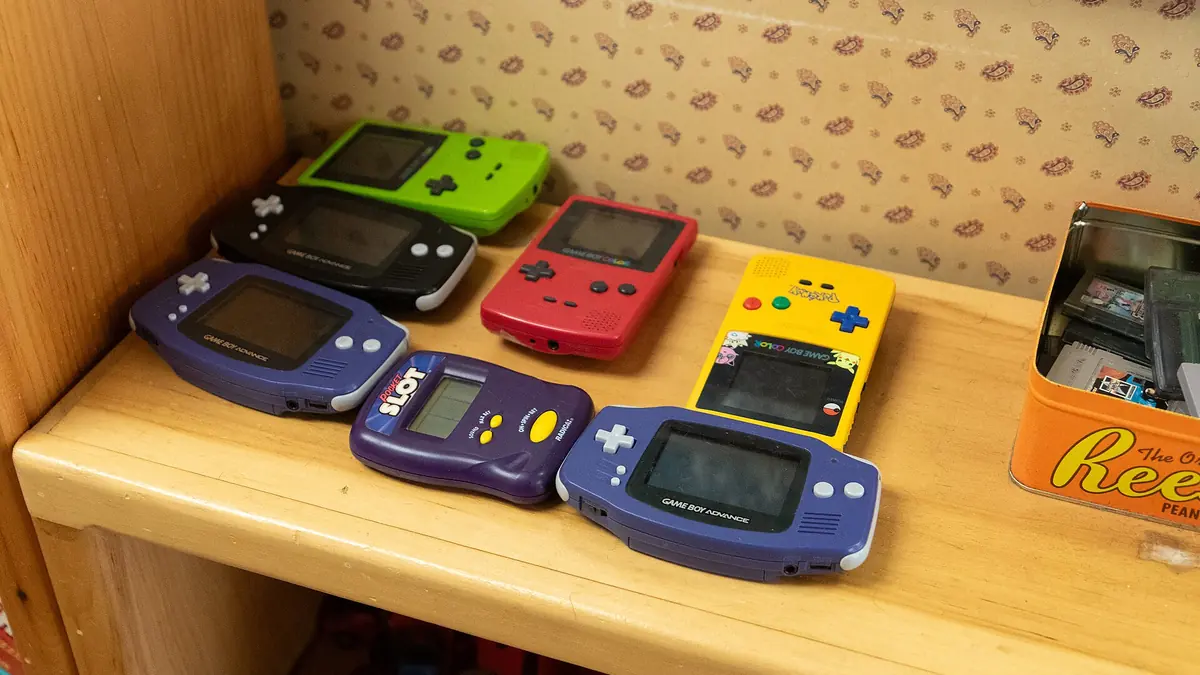
Photograph: Tessa Bury · CC BY 4.0 · Wikimedia Commons
The takeawayYou know which medium you have, how urgent it is, and how to verify the rescue worked.
Nostalgic gamers often discover that their cherished childhood save files are at risk as the batteries in their old consoles and memory cards expire. What many don’t realize is that save data is held in different storage mediums across different gaming platforms. Rescue steps depend on where the save file is — battery-backed cartridge, battery-backed memory card, or internal storage.
Battery-backed Cartridge Saves: The Urgent Case
For the oldest gaming systems, save files were frequently stored in battery-backed cartridges such as the Game Boy.
Replacing the battery is one way to preserve the saved files, but it comes with no guarantees that the saved data will be preserved. In one popular guide, individuals explain that cartridge battery replacement involves both a tabbed replacement battery and a specific screwdriving technique. The process itself is not hugely complex, but it does rely on a manual process, embedded battery, and solder to correct.
What matters more than the soldering is proving afterwards that the cartridge still holds data at all: make a new save, switch the console off, take the cartridge out, put it back and check the save is still there. Nothing else confirms the cell is doing its job.
Memory Cards: The Easiest Rescue Path
One of the easiest ways to rescue your old save files is, unsurprisingly, through memory cards. These chip-based storage solutions were commonly used on the PlayStation platforms of yesteryear.
It’s possible to transfer save data from compatible memory cards to PS3, providing that you have a memory card adaptor for the system. In fact, manuals published in 2021 describe how PlayStation 3’s Memory Card Utility can handle legacy data from PS/PS2 cards when the adaptor is connected. This isn’t just limited to memory card storage, as the same exercise can be enacted from the console’s internal storage.
From there the data can be moved on again to USB storage, which is what takes it off the console entirely.
Handheld systems from the era, including the original PlayStation Portable (PSP), were also at risk of losing saves, but with a bit of offline organizing it was easier than you might imagine. For instance, the PS Vita Content Manager lets gamers transfer data from the internal memory card to a computer or other device after connecting with a USB, making for a more streamlined version of the PlayStation 3 save transfer.
There is also a class of modern replacement device that presents itself to the console as a memory card while storing the data on an SD card or sending it to a computer. That is the least invasive route where it exists for your machine.
Internal Storage: Built-in Transfer Tools
While the memory card is indeed a simple solution to content transfer, it isn’t often a singular solution. For players who prefer in-house backup, there are multiple consoles that allow for internal processing.
On current Xbox hardware the saves are synchronised to the account rather than held only on the console, which is what keeps them available when the machine itself fails.
Even without the help of slightly more complicated infrastructure, many consoles come equipped with their own tools. PlayStation's own Memory Card Utility is the clearest example: it was built to move data off a medium the manufacturer already knew would not last.
The PS3 can move data in both directions between its internal storage and external media, which is what makes it useful as a bridge for older PlayStation saves.
How to Prove the Backup Works
A backup is only a backup once you have loaded it and continued from where you left off. Until then it is a file you hope is right.
The easiest way to verify a backup file on PC, PS Vita, or any other console is by making a change to the game, saving, and then powering off for a few seconds. When you restart the game, the changes should be evident, indicating that the save data is intact. Game Boy users, too, can check the validity of their save files by creating a new save, powering off, removing the cartridge, reinserting it, and checking whether the save is still there.
The details vary by machine and by game, but the principle does not: write, power down, come back, and check.
For modern systems, the specific files used for save data may differ, but the process remains fundamentally the same. Once the game is loaded on the new hardware, the player should look for their saved progress and consider those steps a success if nothing is lost.
What Not to Assume About Lifespan
It’s appealing to believe that more modern systems store data with more stability, but this isn’t always the case. How each maker stores data relies on batteries, disks, cartridges and more to keep games stored.
Storage conditions help at the margins - cool and dry, out of direct sun - but note that on a battery-backed cartridge the cell must stay in place and connected. Removing it is what erases the save.
Battery-backed cartridges, especially the older ones, are more at risk of data loss and typically have a shorter lifespan compared to memory cards and internal storage solutions. That said, even modern consoles are not immune to data loss if the system’s internal storage fails or if the user does not regularly back up their progress.
Ultimately, the lifespan of save data depends on various factors, including the quality of the individual components and how they were stored. While some may last for decades, others may degrade within a few years if exposed to extreme temperatures or left unused for extended periods.
It’s crucial to recognize that different systems store and transfer data in their own unique ways. While some may have built-in backup solutions, others may require manual intervention or require the use of third-party tools.
The Ultimate Backup Strategy
When it comes to backing up your old console save files, the key takeaway is that there is no one-size-fits-all solution. The best approach depends on the specific console and storage medium you are using.
For battery-backed cartridges, replacing the battery or using a battery-saving adapter can help preserve the save data, and creating a digital backup can provide an extra layer of protection. Memory cards and internal storage solutions typically offer easier backup options, with built-in transfer tools or the ability to copy data to a PC.
Regardless of the method you choose, it’s essential to verify that the backup process was successful by checking the saved data on the new hardware or using the original device. Look for any changes made before the transfer and confirm that they are present in the saved game.
Finally, be sure to store your backed-up save files in a reliable and accessible location, such as a secure cloud storage service, an external hard drive, or even a USB flash drive. This way, you can easily access your saves on any compatible device and protect against future data loss.