What it uses
How Much Mobile Data an Hour of Cloud Gaming Really Uses
Bitrate times hours. The arithmetic nobody prints.

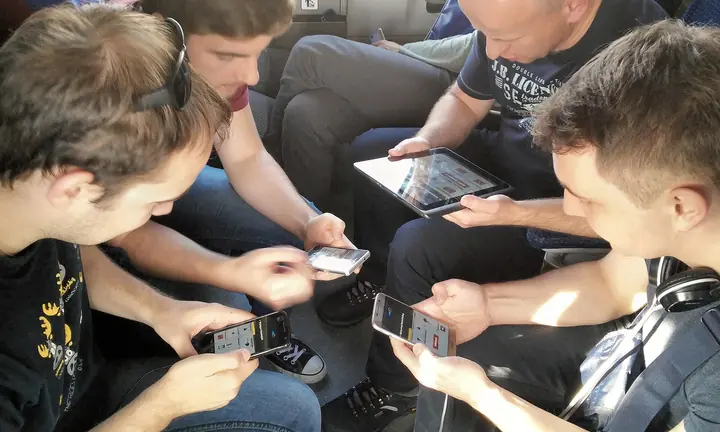
Photograph: David Ratledge · CC BY 4.0 · Wikimedia Commons
The takeawayYou work out your own figure from the setting you use and can cap it deliberately.
Cloud gaming relies on the strength of your internet connection to stream games to an Android or iPhone, and the data use varies widely by resolution and frame rate. Understanding the relationship between bitrate and gigabytes per hour is key to estimating your real mobile data needs. The basic math is that a stream of 25 Mbps corresponds to about 11.25 GB per hour and a 40 Mbps stream to around 18 GB.
The Conversion Readers Can Use
To figure out your own GB per hour cloud gaming data use, divide the "Mbps" number by 8, then multiply by 3.6. The sources here use that conversion logic to center on these key bitrate-to-GB bands:
- 7 Mbps uses about 3.2 GB
- 13 Mbps uses about 5.9 GB
- 20 Mbps uses about 9 GB
- 25 Mbps uses 11.25 GB
- 45 Mbps uses 20.25 GB
- 65 Mbps uses 29.25 GB
What Changes the Data Use
Video game streaming data consumption directly follows the pixel size and frame rate. Doubling the frame rate from 60 to 120 raises the bitrate at the same resolution, because there are twice as many frames to encode.
Typical video bitrates show the impact:
- 720p 60fps games need 8 to 16 Mbps
- 1080p 60fps requires 15 to 30 Mbps
- 1440p 60fps hits 30 to 50 Mbps
- 4K 60fps requires 50 to 85 Mbps
NVIDIA's GeForce NOW publishes these minimums: 15 Mbps for 720p 60fps, 25 Mbps for 1080p 60fps, and 45 Mbps for 4K 120fps. That suggests around 6.5 GB per hour for 720p 60fps and about 11 GB per hour for 1080p 60fps. Cloudbase.gg says similar, with 1080p 60fps average use in a 7 to 11 GB range.
What the Services Report in Practice
Cloudbase.gg and Unstore both indicate that 720p 60fps games can use 3 to 5 GB of data per hour, with 1080p or 4K adding 2 to 3 GB more. At the lower end, Cloudbase.gg estimates 1 to 2 GB per hour for 720p 30fps games, while Unstore says 1.5 to 2.5 GB, 1080p 30fps being 4 to 6 GB, and 1080p 120fps ranging from 12 to 18 GB/hour.
Tellingly, Cloudbase.gg puts overall cloud gaming data use at between 4 and 20 GB per hour, reflecting that fluctuating game quality really matters. The spread is the point: the figure to plan around is the one for the preset you actually use.
How to Cap Quality Deliberately
As Cloudbase and other sources suggest, the key to capping cloud-gaming data use is to pick a lower resolution or frame rate, thereby selecting a lower bitrate. Resolution jumps in particular make a material difference in the bit-per-second demands on the internet connection.
Network quality can oscillate, potentially forcing the stream to switch down a tier. NVIDIA and other services provide a few official minimum speeds in their technical articles and app documentation. The app sets a ceiling, but real usage will depend on what the connection can actually sustain.
Why Phone-Side Measurement Matters
No single source here specified how to measure cloud gaming data use exactly, but it's critical to look at actual phone-side traffic rather than relying just on platform estimates or app-side popup boxes - network conditions can differ from estimates.
The Alternatives
The math here is to multiply hours of gaming by consistent GB-per-hour values. On the other hand, single downloads are a one-time cost in total MB. Even hefty mobile games rarely top 100 GB to download. Estimating where they cross over might help decide a special purchase versus cloud day use in a monthly budget.
What the Reader Must Gain
If you know the bitrate cap you'll actually use, you can compute your own GB-per-hour figure: divide the Mbps by 8, then multiply by 3.6. These GB-per-hour numbers will reflect your resolution and frame rate settings. If the number's lower than your cap or your remaining free data, you can stream - though network speeds also play a big role in bitrate.
So while cloud gaming is still useful by a 4G hotspot, a 5G phone has an edge on both speed and a higher starter limit, essential for maximizing game quality and time.