An independent gaming handbookFor gamers on the go — since 2001

What it needs

Cloud Gaming or a Native Install: What Each One Asks of Your Phone and Your Line

One wants bandwidth and stability. The other wants storage and headroom.
MobilePocketGamer deskReviewed

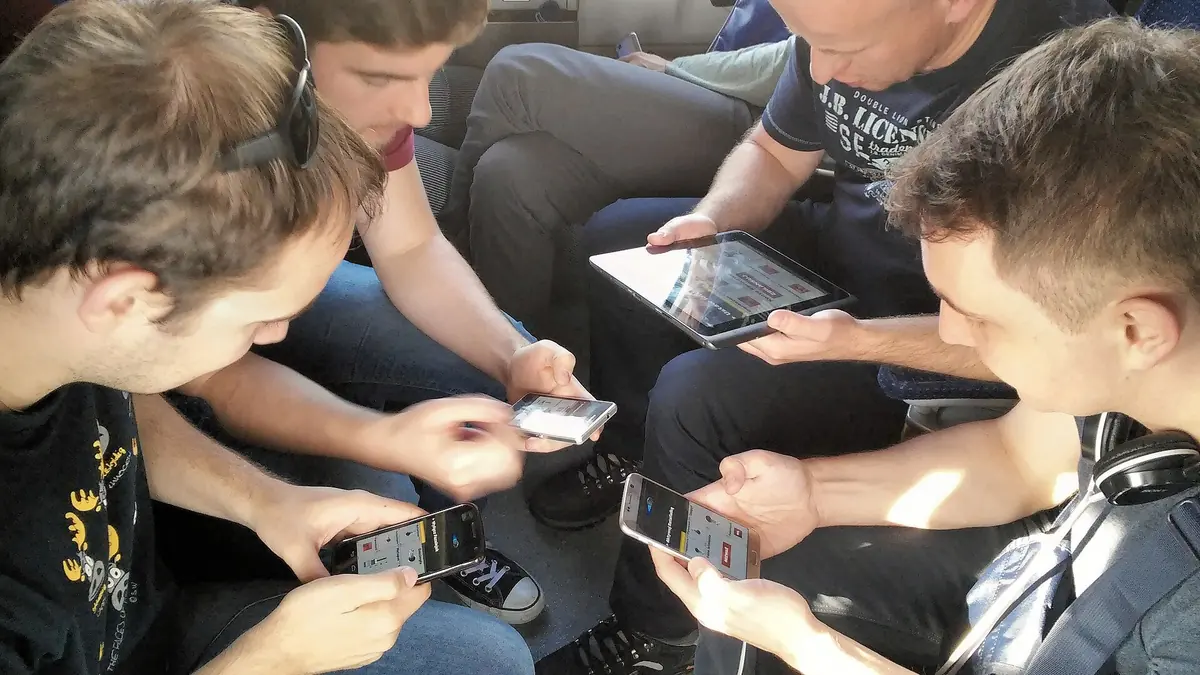
Cloud Gaming or a Native Install  What Each One Asks of Your Phone and Your Line - illustration

Photograph: Klapi · CC BY-SA 4.0 · Wikimedia Commons

The takeawayTests their own connection the right way and picks the method that fits their genre and hardware.

Choosing between streaming a title from a data centre and downloading its binaries directly to local storage comes down to where the hardware constraints sit. When evaluating cloud gaming vs native mobile games requirements, a cloud setup shifts the execution workload to remote servers and depends on a continuous, low-latency data connection, while a local install relies directly on the internal memory, processor thermals, and battery limits of your handset.

+-------------------------------------------------------------------+
| THE CORE TRADE-OFF MATRIX |
+-------------------------------------------------------------------+
| Metric / Requirement | Cloud Streaming | Native Install |
+-----------------------+-----------------------+-------------------+
| Primary Constraint | Network stability | Device hardware |
| Bandwidth / Storage | > 10–20 Mbps stream | Device storage |
| Latency Threshold | < 80–100 ms | Local execution |
| Packet Loss Limit | < 5% drops | Zero network dep. |
| RAM / Processing | Video decoding only | 1 GB–2 GB+ RAM |
| Throttling Factor | Network congestion | Heat & battery |
+-----------------------+-----------------------+-------------------+

Understanding how these two distribution paths tax your setup prevents sudden frame drops, unplayable input delay, and silent background crashes.

What the Two Delivery Methods Actually Demand

Local installations and cloud streams process the same interactive graphics through different paths. A native mobile game stores compiled executable code, high-resolution textures, audio banks, and geometry data directly on your phone's internal flash storage. When launched, the local operating system loads assets into system RAM, parses logic through the CPU, and renders frames on the internal graphics processor.

Google Play Store listings document these exact demands in their device compatibility sections. Depending on the complexity of the title, an app listing may specify an Android handset with at least 1 GB or 2 GB of RAM before permitting an installation.

Cloud gaming replaces local computation with an interactive video stream. The game engine runs on remote server blades inside an enterprise facility. Your handset captures touch or gamepad inputs, serialises those packets, and sends them across the public internet to the data centre.

The server updates the game state, renders the resulting frame, encodes it into a compressed video feed, and streams it back downstream to your mobile display.

According to a University of New South Wales paper titled Do Cloud Games Adapt to Client Settings and Network Conditions?, published on 13 August 2026, cloud gaming requires both low latency and sustained downstream bandwidth at the same time.

The operational baseline established in the University of New South Wales research indicates that a good user experience requires more than 10 to 20 Mbps of sustained bandwidth, 100 ms or less latency, and less than 5% packet drops.

NVIDIA GeForce NOW system requirements published on 18 August 2026 specify an even tighter latency target: less than 80 ms of network latency from an NVIDIA data centre.

On the local side, Apple developer documentation on energy efficiency highlights that mobile hardware functions under strict physical limits, noting that thermally constrained devices reduce performance to manage internal heat.

How to Test the Line Properly

Testing a data connection for cloud gaming requires measuring the network under actual operating conditions rather than checking the theoretical speed tier sold by an internet service provider. Advertised broadband speeds represent maximum theoretical line capacity under ideal test configurations, not the live latency or throughput available to a handset moving through a building.

The United States Federal Communications Commission maintains the FCC Speed Test app specifically to measure internet speed and performance on mobile devices. According to the FCC, the app measures mobile broadband speed, accuracy, and availability.

The tool exists to help mobile users evaluate their connections in the physical environments where they use their devices, rather than relying on promotional ISP figures.

+-------------------------------------------------------------------+
| FIELD NETWORK EVALUATION CHECKLIST |
+-------------------------------------------------------------------+
| [ ] Test on target physical location via FCC Speed Test app |
| [ ] Measure sustained downstream bandwidth (Target: > 10–20 Mbps) |
| [ ] Measure round-trip time to server (Target: < 80–100 ms) |
| [ ] Measure packet drops under load (Target: < 5% loss) |
+-------------------------------------------------------------------+

Running a diagnostics tool directly on the target phone reveals how physical walls, cellular handoffs, and local network contention degrade baseline performance.

If a handset receives adequate raw downstream capacity but encounters high transit times to the nearest remote server facility, cloud streaming performance will degrade before the session begins.

Why a Fast Connection Can Still Feel Bad

A high downstream bandwidth figure does not ensure a clean cloud gaming session. Traditional web traffic and non-interactive video streaming operate with deep playback buffers.

When a standard video service encounters transmission delays, it pulls seconds of future playback into memory to mask network interruptions. Interactive cloud gaming cannot buffer future frames because those frames do not exist until the player presses a button.

+-------------------------------------------------------------------+
| BANDWIDTH VERSUS LATENCY INTERACTION |
+-------------------------------------------------------------------+
| High Bandwidth + High Latency (> 100 ms) = Severe Input Delay |
| High Bandwidth + Packet Loss (> 5%) = Video Artifacts |
| Low Latency (< 80 ms) + Low Bandwidth = Resolution Collapse |
| Stable Bandwidth + Low Latency + Zero Loss = Stable Stream |
+-------------------------------------------------------------------+

Because frames must arrive synchronously with user input, network jitter and packet loss disrupt the interactive pipeline instantly. The University of New South Wales study documents that packet drops exceeding 5% compromise the user experience.

When packet drop rates cross that threshold, frame delivery stutters, visual compression artifacts multiply, and the perceived control response becomes inconsistent.

If your round-trip transmission time exceeds the 80 ms ceiling specified by NVIDIA, or the 100 ms ceiling identified by the University of New South Wales researchers, every jump, camera turn, and weapon trigger feels disconnected from touch inputs, regardless of whether your downstream speed exceeds 100 Mbps.

What Native Install Asks of the Phone

Downloading a mobile game directly onto your device isolates you from network packet drops, but it shifts the computational tax directly onto your handset's silicon, battery, and memory subsystem.

On Android devices, system resource management operates through strict memory controls. Android developer documentation details that the operating system employs a low memory killer alongside background process limits to maintain responsiveness when the device experiences memory pressure.

When a demanding game consumes available system memory, Android forcibly terminates background services to prevent system-wide instability. If the handset only meets the minimum 1 GB or 2 GB threshold listed in the Google Play Store compatibility section, sudden memory spikes can cause frame hitches or outright application crashes.

+-------------------------------------------------------------------+
| NATIVE DEVICE BOTTLENECKS & IMPACT |
+-------------------------------------------------------------------+
| Subsystem | OS Mechanism | In-Game Failure Mode |
+-----------------+------------------------+------------------------+
| System RAM | Low Memory Killer | Crash to Home Screen |
| Processor / GPU | Thermal Throttling | Severe Framerate Drops |
| Battery Unit | Power Management Rules | Throttled Clock Speeds |
+-----------------+------------------------+------------------------+

Thermal dissipation creates a second physical barrier for native execution. Apple developer documentation on energy efficiency notes that mobile apps should minimise unnecessary energy usage because battery life remains a primary concern for users.

Apple explicitly warns that thermally constrained devices will reduce processing performance to manage heat buildup.

As a native game pushes the CPU and GPU to their peak operating frequencies, the device generates sustained internal heat.

Because modern smartphones rely on passive chassis dissipation rather than active fan cooling, the hardware responds to rising internal temperatures by lowering clock speeds, producing noticeable framerate drops during prolonged play sessions.

Android developer documentation on power management outlines similar system-level safeguards. The operating system contains battery optimisation and power-management rules that restrict application activity to preserve battery charge.

When battery levels fall or temperatures rise, aggressive power-management policies limit peak hardware draw, constricting the computing resources available to the active game engine.

What Happens When Conditions Worsen

The failure states of these two approaches reveal their distinct operational dependencies.

+----------------------+
| Operational Stress |
+----------+-----------+
|
+---------------------+---------------------+
| |
v v
+-----------------------+ +-----------------------+
| Network Degradation | | Device Heat / Battery |
+-----------+-----------+ +-----------+-----------+
| |
v v
+-----------------------+ +-----------------------+
| • Latency > 100 ms | | • Thermal throttling |
| • Packet loss > 5% | | • Memory killer kills |
| • Input lag spikes | | • Clock speeds drop |
+-----------------------+ +-----------------------+

When network conditions deteriorate during a cloud gaming session, the service encounters transport breakdowns.

If latency spikes past the 80 ms threshold required by NVIDIA or the 100 ms boundary measured by the University of New South Wales, the connection introduces input lag.

If packet drops pass 5%, the video stream exhibits macroblocking, dropped video frames, or audio desynchronisation. If the downstream bandwidth drops below the 10 to 20 Mbps range, the remote server must compress the outgoing feed, degrading image clarity.

Native execution degrades across physical device dimensions rather than transport links. When internal heat builds up over extended play, Apple's documented thermal protections throttle processor speed, turning a fluid render into an inconsistent frame delivery.

If background applications compete for memory, Android's low memory killer intervenes to reclaim RAM, introducing micro-stutters or shutting down the game process.

When battery charge drops into conservation territory, the operating system's power-management policies reduce maximum clock rates, degrading local graphics performance while the game continues running.

What to Decide by Hardware and Line Quality

Evaluating your current setup requires balancing local hardware capacity against the verified state of your network connection.

Check your device specifications first. Open the store listing on the Google Play Store to review the memory and storage requirements listed in the device compatibility section.

If your phone carries minimal RAM—hovering near the 1 GB or 2 GB entry requirements—or if the internal flash storage is near capacity, local execution will struggle under memory pressure and background process reclamation.

If your phone runs hot under sustained local rendering, hardware-level thermal throttling will limit performance.

Next, run the FCC Speed Test app on your handset in the room where you plan to play. Check the resulting metrics against the baseline published by the University of New South Wales: a minimum of 10 to 20 Mbps of sustained bandwidth, round-trip latency at or below 100 ms (and under 80 ms for NVIDIA GeForce NOW), and a packet loss rate strictly under 5%.

If your field measurements consistently clear the 10 to 20 Mbps bandwidth mark, maintain latency under 80 ms, and show packet drops below 5%, cloud streaming bypasses local memory constraints and thermal limits.

If your network tests reveal fluctuating latency, packet drops over 5%, or downstream bandwidth under 10 Mbps, native installation remains the stable option, provided your phone possesses the RAM and thermal capacity to sustain execution.