
Explained
Why a Phone Slows Down After Twenty Minutes of Play, and What You Can Change
It is not the game. It is the temperature, and it arrives on schedule.

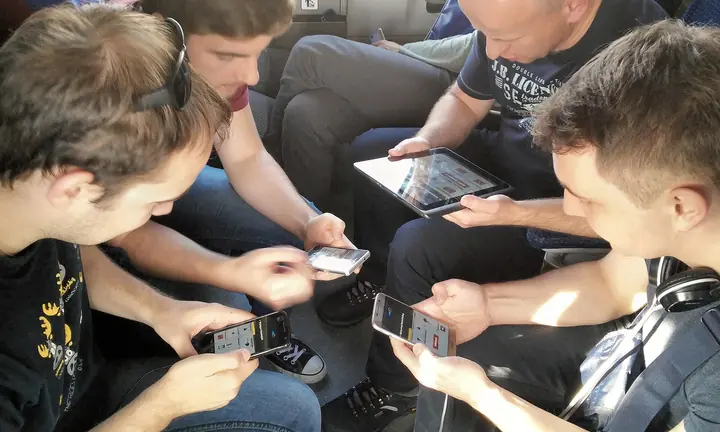
Photograph: Rawpixel Ltd · CC BY 2.0 · Wikimedia Commons
The takeawayYou confirm the cause and know which three changes actually delay the drop.
When you launch a game on your phone, it can feel like you're flying at first. The graphics are crisp, the frame rates are buttery smooth, and jumping around or sprinting across a landscape is an absolute joy. But once the session runs past twenty minutes or so, things change.
The frame rate stops holding its ceiling and settles somewhere below it. The screen dims a step. Inputs that landed cleanly a few minutes ago start arriving late, which in a game built on reaction time is the part you notice first.
Worse yet, the phone itself begins to actually feel warm, and even hot to the touch. That is the same moment the phone starts cutting performance deliberately, to keep the heat inside its limits.
It's easy to blame overheating on the game itself. Over time, you might even come to dread the appearance of certain games in your app drawer, even if they're the ones you enjoy playing the most and look forward to most. That is the wrong conclusion. The problem is not the game itself, but rather the fact that the game is causing your phone to overheat, which, in turn, forces the phone to throttle back performance. So what's really going on?
How Throttling Affects Performance
Thermal throttling, as it's known, is a way for your phone to keep its internal temperature in check by reducing performance. The idea is that the reduction is temporary, only kicking in when the phone's temperature starts to rise. When the temperature drops, the phone can return to its default performance settings.
However, throttling can have a significant impact on gaming performance, especially if it kicks in too early or too often. In some cases, it can be the difference between a smooth, immersive gaming experience and one that's choppy and frustrating.
Why the Slowdown Appears After a Predictable Delay
The key word here is delay. It's not random, and it's not a result of the game getting worse over time. Rather, it's a built-in safety mechanism that triggers once the phone's internal temperature reaches a certain threshold.
This threshold can vary depending on the phone's hardware, the game's requirements, and even the environmental conditions. For example, if you're in a hot climate or if your phone is in a poorly ventilated area, it may reach this threshold more quickly.
What the Phone Reduces First
When thermal throttling kicks in, the phone may reduce frame rate, brightness, charging and power. The idea is to conserve as much power as possible while still allowing the game to function.
For example, the phone may lower the max frame rate to 30 from 60, or even to 20 or 15, depending on the severity of the thermal condition. It may also dim the display to a level that is still visible but not as bright as before. And it may reduce the charging current to prevent the phone from overheating further.
In some cases, the phone may even reduce the CPU and GPU clock speeds, which can have a significant impact on gaming performance. That is the deepest cut of the three, because it slows everything the phone is doing rather than just the game.
What Owners Can Change
While thermal throttling is a built-in safety mechanism, there are a few things you can do to mitigate its impact on gaming performance:
Charging
One of the most effective ways to reduce thermal throttling is to avoid charging your phone while gaming. This is because charging can generate additional heat, especially if you're using fast charging or wireless charging.
If you do need to charge while gaming, consider using a phone with bypass or pass-through charging, which reduces battery heat during prolonged plugged-in sessions. This feature is not available on all phones, so you'll need to check your phone's specifications to see if it supports it.
Brightness
Lowering your screen brightness can help reduce thermal throttling by minimizing the amount of power the display consumes. This, in turn, reduces the amount of heat generated by the phone.
While you don't need to turn your brightness all the way down, even a small reduction can make a noticeable difference in gaming performance.
Frame Rate
Capping the frame rate can help keep performance more consistent than leaving it uncapped. This is because a capped frame rate ensures that the GPU is not stressed out, which in turn reduces heat generation.
Even a thin case can make a difference, so it's worth considering if you're experiencing thermal throttling frequently.
How to Tell It Is Throttling
If you suspect that your phone is throttling due to high temperatures, there are a few telltale signs to look out for. One of the most obvious is a gradual drop in frame rate, as the phone tries to conserve power by reducing the GPU workload.
You may also notice the display dimming, as the phone tries to reduce power consumption. In some cases, you may even feel the phone getting warm or hot to the touch.
On Android, you can use the Thermal API to programmatically observe the phone's thermal state, including the getThermalHeadroom method. This can help you understand how close your phone is to reaching its thermal threshold, and whether throttling is likely to occur.
While this is more of a developer tool, it can be useful for identifying thermal throttling in games that don't provide a built-in way to monitor performance.
What Cooling Accessories Can and Cannot Do
Cooling accessories, such as fans or heat sinks, can help dissipate heat from your phone and potentially reduce thermal throttling. However, it's important to manage your expectations.
While these accessories can provide a temporary boost, especially in short bursts, they cannot completely eliminate thermal throttling. This is because the throttling is a safety mechanism that's designed to prevent overheating, and it will still kick in eventually even with cooling accessories.
That said, cooling accessories can still be useful, especially if you're playing graphics-heavy games for extended periods. They can help delay the onset of thermal throttling, giving you more time to play at full performance.
Conclusion
If your phone begins to lag after a while of gaming, it's most likely due to thermal throttling. This is a safety mechanism that kicks in when the phone's internal temperature reaches a certain threshold, reducing performance to prevent overheating.
While this can be frustrating, there are a few things you can do to mitigate the impact. Avoiding charging while gaming, lowering your screen brightness, capping the frame rate, and removing your phone case can all help reduce thermal throttling.
But if the phone still slows down after modifying these settings, it's a sign that you've selected the best user-provided conditions achievable. In that case, consider taking a break from gaming or switching to a less demanding game.
And if your phone is constantly throttling, it may be worth considering an upgrade to a newer model with better thermal management and performance.
.jpg)