How to
Setting Up a Phone Controller So Latency Is Not the Thing That Beats You
Three ways to connect a pad, and the delay each one adds.
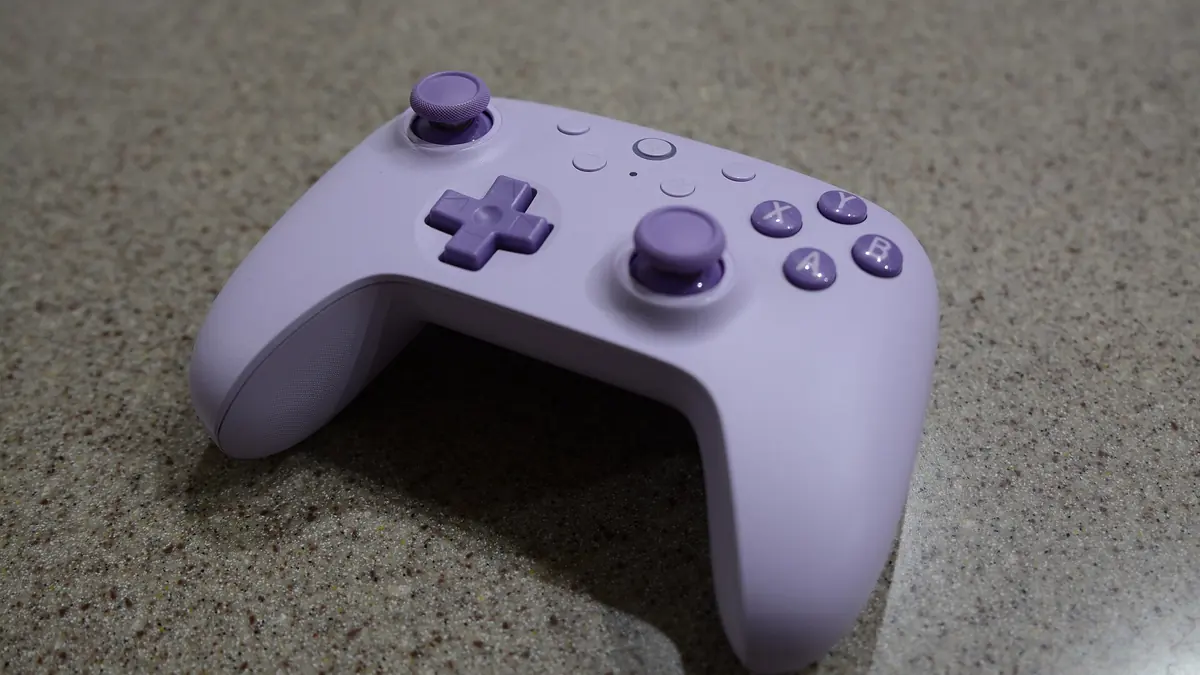
Photograph: Hayden Schiff · CC BY 4.0 · Wikimedia Commons
The takeawayHas a measurable before-and-after rather than a feeling.
Wired USB-C connections deliver the lowest input delay in published hardware tests, while standard wireless links add measurable fractions of a second to every action. If you want to reduce phone controller input lag, changing settings by feel will not show whether your actions register faster. A player pressing a physical trigger is reacting to an entire chain of events. That chain spans the controller interface, the operating system polling cycle, the rendering pipeline of the game engine, and the refresh cycle of the mobile display.
Documented bench tests show that swapping a wireless link for a physical cable cuts hardware transmission time down to single-digit milliseconds. Even so, hardware transmission is only one segment of the delay chain. A cable does not eliminate operating system delays or rendering overhead.
To determine whether a controller swap or setting change actually fixes a sluggish response, you need an objective measurement on your specific hardware.
Connection routes: what each adds
Different connection routes introduce distinct physical and protocol delays before the phone operating system processes the incoming signal.
Hardware benchmarks published by Turtle Beach in an article dated 12 December 2025 and updated on 25 August 2026 recorded wired USB-C controller connections at approximately 3 to 6 milliseconds of input lag. The same source recorded standard Bluetooth connections at roughly 10.2 milliseconds, while premium 2.4 GHz wireless links registered between 3 and 6 milliseconds. In the same report, Turtle Beach stated that newer Bluetooth Ultra-Low Latency implementations can reach down to 1 millisecond.
A hardware analysis by PulseGeek published on 20 January 2026 and updated on 11 March 2026 presented a broader breakdown of protocol latency ranges across controller connection types. PulseGeek recorded typical latency figures of 1 to 4 milliseconds for USB connections running at a 1000 Hz polling rate when supported by the hardware. The same analysis reported 6 to 15 milliseconds for Bluetooth Human Interface Device (HID) connections and 2 to 6 milliseconds for dedicated 2.4 GHz wireless links. PulseGeek reported that USB running at 1000 Hz polling minimizes controller latency and signal jitter under heavy input load.
These numbers establish a baseline difference between communication channels. A standard Bluetooth HID connection incurs higher latency because the controller packets are queued, transmitted over a shared frequency protocol, and parsed through the system Bluetooth stack.
A high-polling USB connection transmits state updates directly across the bus at fixed sub-millisecond intervals.
However, moving from a 10.2 millisecond wireless link to a 3 millisecond wired link saves approximately 7 milliseconds of transmission time. In a game running at 60 frames per second, a single frame remains on screen for 16.67 milliseconds. A 7-millisecond saving represents less than half of a frame interval at 60 Hz. On its own, that transmission difference will not turn an unplayable game into a responsive one if the rest of the software pipeline is stalled.
How to test the reader’s own kit
Because transmission times sit inside a larger hardware-and-software pipeline, the only way to evaluate your setup is by measuring end-to-end response times on your own phone. You do not need dedicated laboratory equipment. You can conduct a frame-counting benchmark using a second camera phone capable of slow-motion recording.
A testing guide published by Dev.to on 4 September 2022 and updated on 22 March 2026 detailed a method for calculating lag: position a high-frame-rate video camera to capture both the physical controller button press and the display reaction within the same frame, then calculate the time difference based on the elapsed video frames.
In a guide dated 13 July 2026 and updated on 25 August 2026, AWOL Valerion described setting a phone camera to its highest available slow-motion frame rate, filming the button activation and the display simultaneously, counting the elapsed frames between the physical input and the visible change on screen, and dividing that count by the recording frame rate to determine latency in milliseconds.
For stick-based inputs, a guide on the GTPlanet forum dated 7 June 2020 and updated on 7 December 2024 outlined recording the display and controller together in slow motion, then stepping through the video frames to identify the physical center point of the stick movement and the corresponding displayed center point on the screen to calculate total input lag.
DeviceLatency defined the baseline measurement for analog inputs in its documentation updated on 3 January 2026 as the time difference between the first video frame where the stick physically starts moving and the first video frame on screen where the in-game camera begins shifting.
To execute this test cleanly on a mobile setup, follow the methodology outlined by EasySMX in a technical guide dated 6 August 2026 and updated on 16 August 2026:
- Position a second phone on a stand or stable surface with its camera pointed at both the controller button and the mobile screen.
- Set the recording phone to its highest available slow-motion capture rate, such as 120, 240, or 960 frames per second.
- Perform a distinct physical input, such as pressing a fire button or snapping a thumbstick to one side.
- Repeat the identical input test 10 to 20 times to generate a usable data set.
- Step frame-by-frame through the recorded footage in a video editing or playback application.
- Identify the exact frame where the button makes physical contact or the stick begins its displacement.
- Identify the exact subsequent frame where the phone screen renders the first pixel change from that action.
- Subtract the starting frame number from the reaction frame number to obtain the frame duration.
- Divide the frame difference by the capture frame rate (for instance, 24 frames divided by 240 fps equals 0.100 seconds, or 100 milliseconds).
- Calculate the median result across your 10 to 20 recorded runs.
Using the median rather than a single attempt strips out random timing variations caused by screen refresh misalignment or sudden background operating system tasks.
What changes are worth isolating
When testing setup variations, changing three things at once makes it impossible to know which adjustment altered your results.
The EasySMX guide recommended testing both connection types under matched conditions. To isolate the controller interface, the tester must keep the following variables strictly identical between runs:
- The exact same phone hardware and operating system build.
- The same in-game testing scene or static environment.
- Identical graphics rendering options and resolution presets.
- The same display refresh rate setting.
- Equal phone operating temperature.
- Ensuring background downloads, cloud synchronisation, and screen-recording applications remain closed.
Thermal throttling alters mobile processing speeds. If the processor gets hot during prolonged gaming, the GPU and CPU throttle clock speeds down, which inflates render times and makes your input response feel sluggish. A wired controller tested on a hot phone can produce higher end-to-end latency than a wireless controller tested on a cool phone.
Display refresh rates directly change how fast a rendered frame reaches your eyes. At 60 Hz, the screen updates once every 16.67 milliseconds. At 120 Hz, that interval drops to 8.33 milliseconds. A higher refresh rate reduces the display portion of the latency chain regardless of whether the controller connects via Bluetooth or USB-C.
Background tasks also introduce latency spikes. PulseGeek pointed out that input polling stability degrades under processor load. If an application updates in the background or a screen-recorder captures video while you play, the operating system can delay processing input packets from the USB or Bluetooth stack.
What the article should not overclaim
Published benchmarks confirm that wired USB connections and low-latency wireless protocols cut physical transmission times. They do not prove that plugging in a cable will make every mobile game feel instantaneous.
A low-latency controller connection cannot bypass the internal rendering pipeline of a mobile game. If a game engine buffers two internal frames before pushing graphics to the display buffer, that engine adds over 33 milliseconds of delay at 60 Hz before the screen can show your trigger pull.
Hardware transmission remains only one link in an extended chain. A 1000 Hz USB connection running at 1 to 4 milliseconds will deliver button presses to the operating system faster than a standard Bluetooth link running at 10.2 milliseconds or 6 to 15 milliseconds.
Whether that difference translates into an observable advantage depends entirely on your phone display refresh rate, the game engine frame pacing, thermal throttling, and background system load.
Record 10 to 20 button presses in slow motion on standard Bluetooth, switch to a wired USB-C connection under identical thermal and graphics settings, record another 20 presses, and calculate the median frame count for each run. That calculated frame gap gives you the precise millisecond delta your specific mobile setup provides.